Moving Catode32 from MicroPython to Rust
MicroPython was a fantastic starting point to build my early prototypes. But issues with heap fragmentation encouraged me to switch the project to Rust. It was a successful rewrite and ended up bringing a lot of additional benefits.
Why MicroPython Initially
Python is simply easier to prototype with, I feel.
Going into this project, I didn't have a complete picture of where it was going to go. I had mockups, concepts, and ideas. But the process of building Catode32 was exploratory in nature.
Starting out, I didn't know how I was going to render the cat. I didn't know how I was going to handle animations. I didn't know how I'd handle saving. I didn't know how I'd handle menus, locations, behaviors, etc... it was all a learning process.
I had considered languages like Rust, C, C++, Go, etc... initially, but without having a clear scope for the project it was difficult to plan the work in languages that required more upfront consideration towards architecture and system design.
In contrast, MicroPython was flexible. I could focus on one module at a time, and they were easy to throw away, reuse, expand, and shuffle around as I explored the overall design of the system.
In time, I did settle into an architecture that felt comfortable to me, with systems for handling the pet behavior, managing the current scene, rendering the pet and other primatives, building reusable UI components, etc... And doing that in MicroPython felt easy and comfortable, while allowing for iterative rewrites and changes as needed.
Growing Pains
Despite how pleasurable, and easy, and fun, it was to work in MicroPython, there were a few issues that kept showing up. It mostly boils down to the heap.
The Heap
MicroPython manages memory at runtime, and it needs to run an interpreter.
The bytecode of each python module was loaded onto the heap. This means every behavior, every location, every toy, every game, every sprite, every meal, every UI element, buffers, WiFi, everything was loaded into the heap.
Every little thing, like drawing the cat, put pressure on the heap. And everything that needed to go into the heap took up some continuous region of the heap, and when they were freed, the region of space they took up was freed.
But the problem is, there were no gurantees on what would be inserted and removed, or in what order. This left the heap fragmented. Eventually the system would try to insert something into the heap but wouldn't be able to find a large enough free region, because the heap looked like swiss cheese, with tiny little holes of free space that were insufficient.
This led to the device slowing down as the user played with it. The more they used it, the faster it got into a bad state. And then eventually it would freeze up or crash... it was a pretty bad experience.
I tried to work around it with every solution I could think of. Modules were lazy-loaded, the device rebooted once per hour after saving its context, modules were aggressively unloaded when they weren't needed, forcing a reboot after an out-of-memory error... but despite all of that the pain was real. Devices would slow down and crash if players actually used them with any regularity.
The Art
Making the heap situation worse, the artwork originally had to live in the RAM too, taking up heap space. This limited how much artwork the project could use.
I did eventually find a way to move the assets into frozen assets which were compiled into the firmware image. This freed up a lot of RAM, but required building a custom MicroPython firmware with ESP-IDF, and that firmware had to be recompiled every time artwork was changed. This meant that flashing the devices required custom MicroPython firmware in combination with the python modules for the actual game.
And despite that, when art actually needed to be drawn, it still needed to be copied into memory... which just gave the garbage collector more wor and made the fragmentation issue worse.
The Consequences
The consequences of that heap pressure, plus needing to run the interpreter for the python code, led to a slow and brittle device. I had very little confidence that devices in the wild would be solid and good experiences for the users.
Rust Rewrite
Even though I had originally decided not to use Rust because I wanted the flexibility to rapidly prototype the project, after several months of work I had honed in on an system architecture, feature set, and vision for the project. Because of that I no longer felt like the structure of a language like Rust would hold me back... in fact I felt the opposite: That the rigor of a proper systems language would liberate me by giving me confidence in the code.
Now the MicroPython version could act as a blueprint. I knew how things needed to work, what success would look like, and I could test changes to ensure that the rewrite was a 1:1 rebuild.
Successes
The rewrite was very successful, and had more benefits than I originally expected.
No More Heap Fragmentation
Rust still uses RAM, but it avoids the heap.
In Rust, memory layout is fixed at compile time (whereas in MicroPython it was decided at runtime, one allocation at a time).
Where MicroPython would load every module into the heap, Rust runs the machine code directly from flash.
Where MicroPython copied sprite/font/string bytes to the heap, Rust keeps them in flash and reads them in place. The linker puts that data in a read-only data section and maps the address space from flash. The code just reads directly from it with no copy and no loading step.
Where MicroPython treated scenes, behaviors, UI, etc as heap objects, Rusts uses plain structs with no per-object overhead. The current scene just sits in one enum slot (sized to match the largest scene).
The only thing that uses the heap in Rust is the WiFi system.
Faster Scene Switching
In Rust, all of the game state lives in one long-lived stack frame. Switching scenes just overwrites that shared single slot. Nothing needs to be freed or garbage collected.
The speedup provided by this is hard to overstate. It makes the whole device noticibly faster and more fun to use.
Faster Booting
Due to quirks with how the MicroPython firmware switched between running the main game or dropping into REPL to have a shell (and flash it) I had to add a deliberate 1 second window during boot where the user could hold A+B to drop into REPL to flash the device. This meant that every boot (including the old once-per-hour reboot) had a one second delay, on top of the overhead time to start the interpreter and load the modules. The result was that booting took a few seconds.
But in Rust, booting is basically instant. Just a fraction of a second.
And it no longer requires periodic reboots to clean up the heap. The only time the player even needs to boot the device is if they flash new firmware to it, or if they let the batter go flat.
So, thanks to the rewrite, booting is no longer a frequent and slow thing. It's now a rare and imperceptable non-issue.
Compile-time Checks
One huge benefit to using a language like Rust over MicroPython is the compile-time checks.
With MicroPython, I had to manually click around the device and ensure that every feature worked in every configuration, in every translation, in case I had a bug in my code that might cause a crash.
But Rust is so much nicer... Syntax is validated. The borrow-checker works its magic. And the end result is that I have significantly higher confidence that built and flashed firmware is robust and won't randomly crash on my users.
Improved Fonts
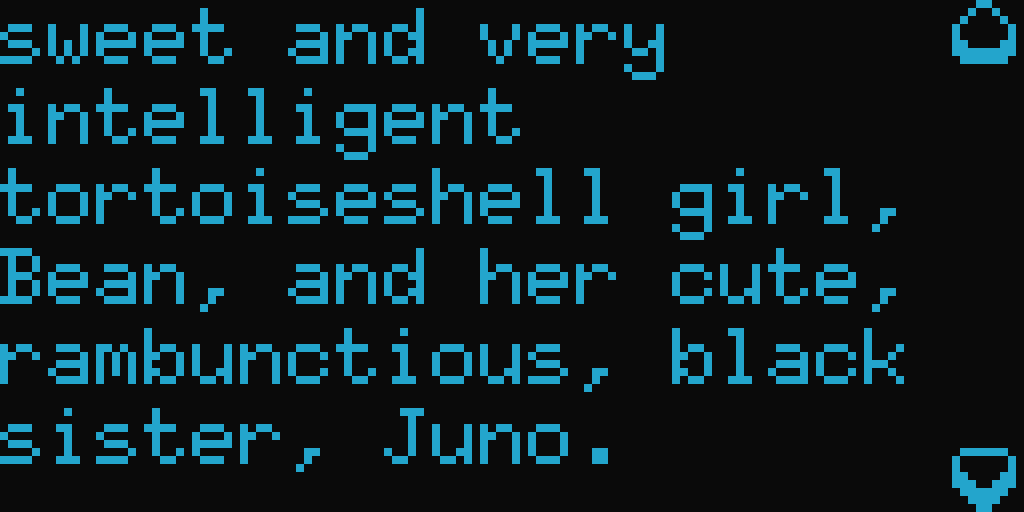
MicroPython used framebuf's built-in 8x8 font. It was blocky, thick, and limited how much text could be shown... and the text that was shown was sort of painful to read.
Rust (via the embedded-graphics library) uses a 6x10 font which essentially gives me 30% more text per line, and the taller characters are easier to read. It also provides a 4x6 font for smaller text, which is very useful in the minigames.
Easier Spritework
As mentioned earlier in this post, to keep sprite data out of RAM in the MicroPython version I had to build custom MicroPython firmware that froze the assets into the firmware. This was an extra build step that also made it more difficult for other people to use and build upon.
Now the sprite data just lives in the code with the rest of the project, and the cargo build step builds and flashes everything in a single step.
Improved Crash Recovery
In the exceptionally rare case that my Rust code does panic, the handler saves the error message and backtrace into RTC and then resets the device. This allows for a quick recovery and details for future investigations.
It also leverages a hardware watchdog that detects if the device hangs for any reason and triggers a reset.
Improved Battery Life
Because there's no MicroPython interpreter, or garbage collector, I was able to drop the CPU from 160 MHz down to 80 MHz while still holding a rock solid 12 FPS everywhere in the application.
I was also able to get lower level control over the screen to dim the OLED screen after 60 seconds of idle time.
I was also able to get the device to lightly sleep in the downtime between each rendered frame, instead of spinning the CPU at full speed.
The combination of those things, plus a few other small tweaks, took the device from having ~20 hours of battery life in the MicroPython (and early Rust versions), to having several days of battery life on a single charge. Now, with a 2000mAh battery, I can regularly have a device running for about 3-5 days depending on how much the player is using it.
Automated Tests
This is a no-brainer, and potentially could have been done in MicroPython, but as part of the rebuild I added a number of automated tests to the project.
It's a small thing that helps build confidence in the codebase and makes future changes less stressful.
Plainer Code
MicroPython had a lot of forced workarounds because of RAM and heap issues. Caching of mirrored sprites, storing data as tuples instead of dicts, storing things into framebuffers...
With Rust I was more frequently able to write the plain version of things. And obvious code is easier to reason about and easier to modify and maintain.
Better Save format
Saving now goes through serde with well defined structs instead of a loose JSON file.
More Minigames
With the extra headroom in the CPU, less pressure on the heap and RAM, and the ability to switch between scenes and modules without causing fragmentation, I was able to significantly expand the number of minigames.
There were about 10 minigames in the MicroPython version, and I was hesitant to add more because as the player switched between them they would rapidly fragment the heap.
Now the device has nearly 30 minigames, with more being added all the time, and the player can play as many as they want and switch between them freely without putting any pressure on the heap.
Conclusion
While I don't regret starting this project in MicroPython (and even think it was probably the right idea to start there), I'm thrilled at the success of the Rust rewrite. I think the rewrite happened at exactly the right place in the project's evolution.
It took a few months to finish the rewrite, but it resulted in a project that's far more stable, far faster, has better battery life, looks better (with the fonts), and it has opened up so much additional capacity for me to expand the scenes, the games, the artwork, and the potential for the device.